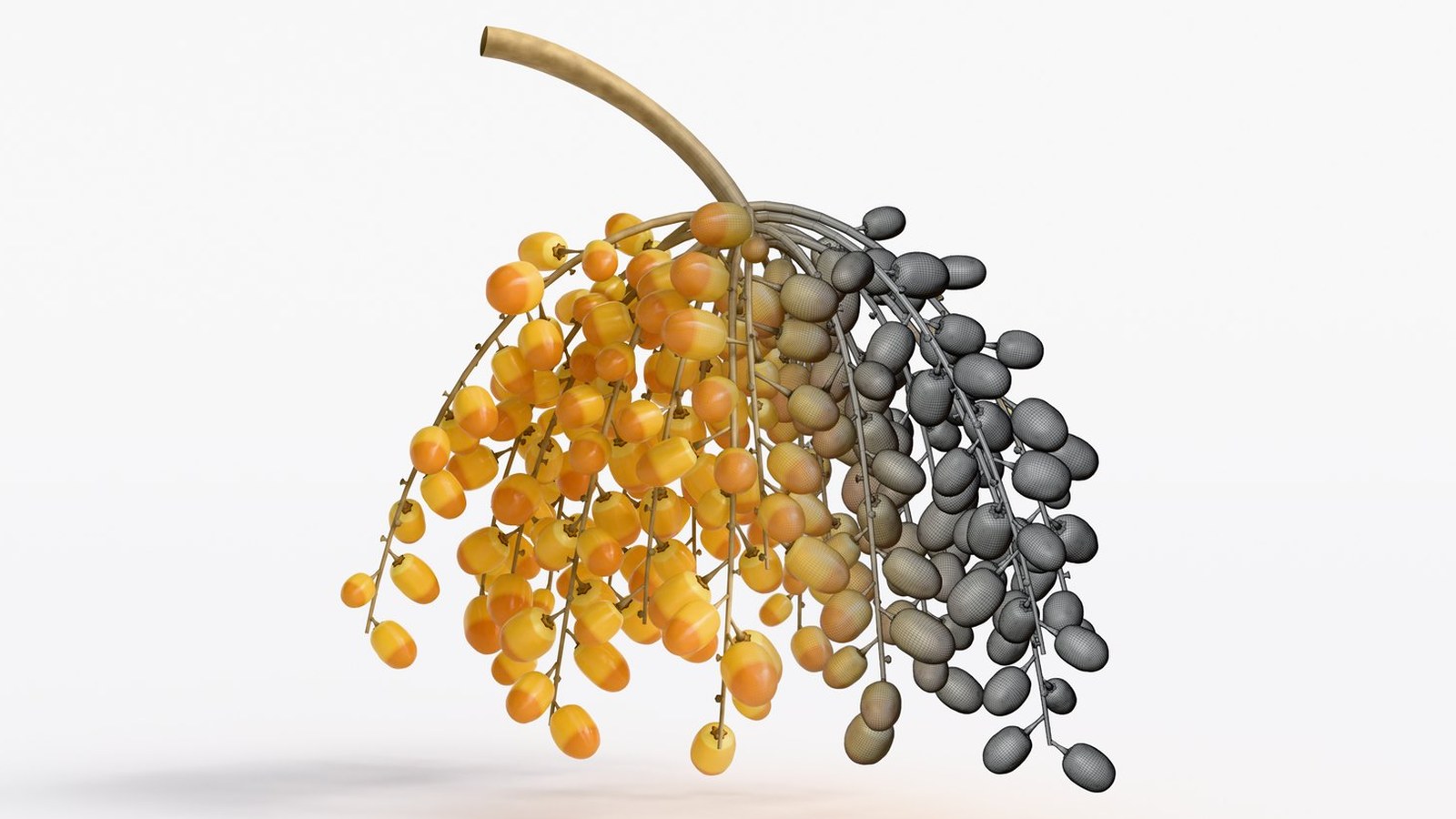
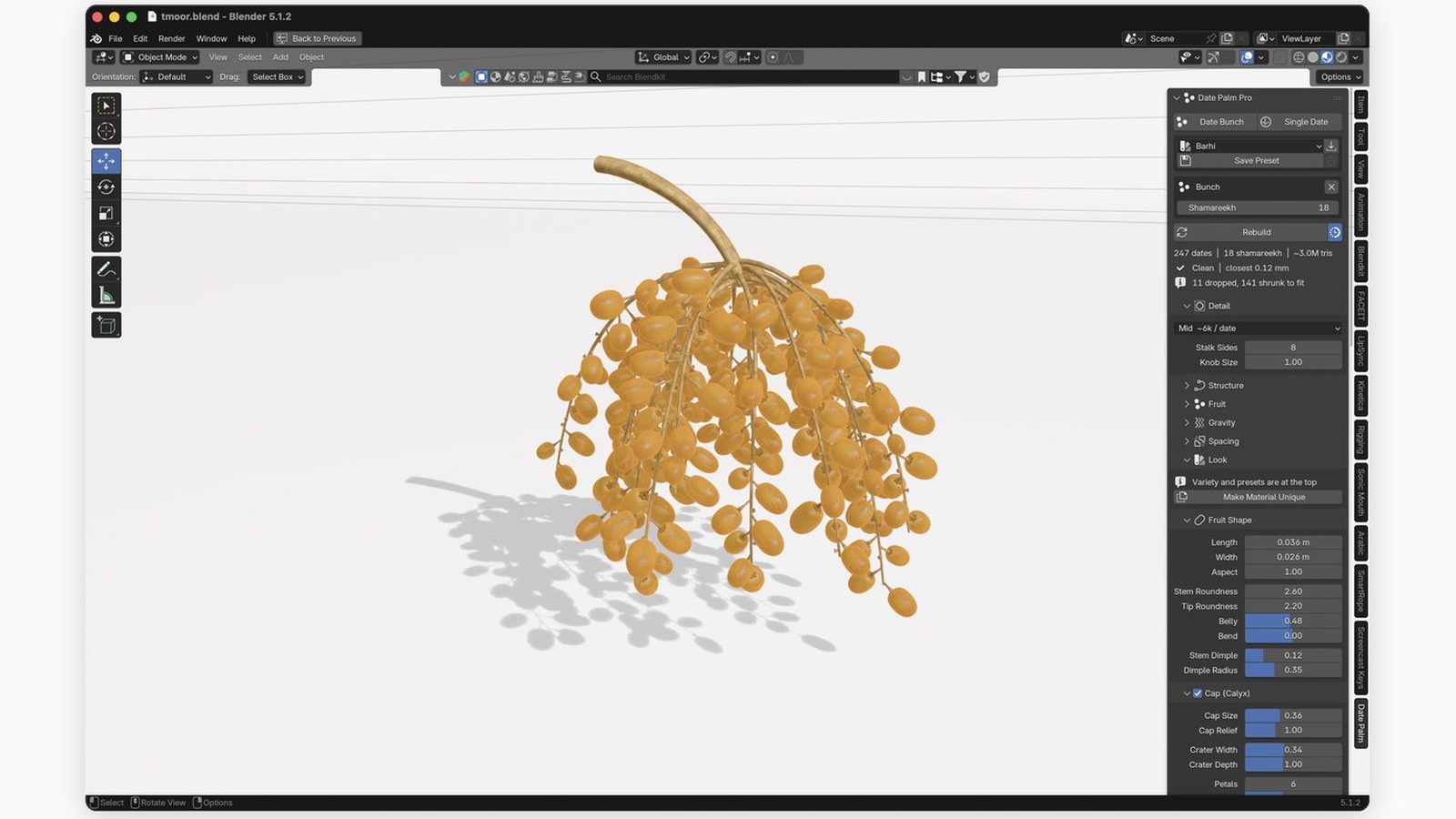
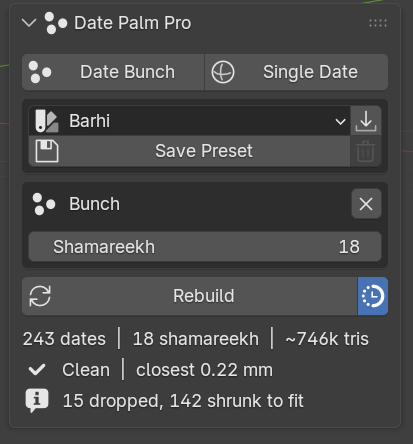
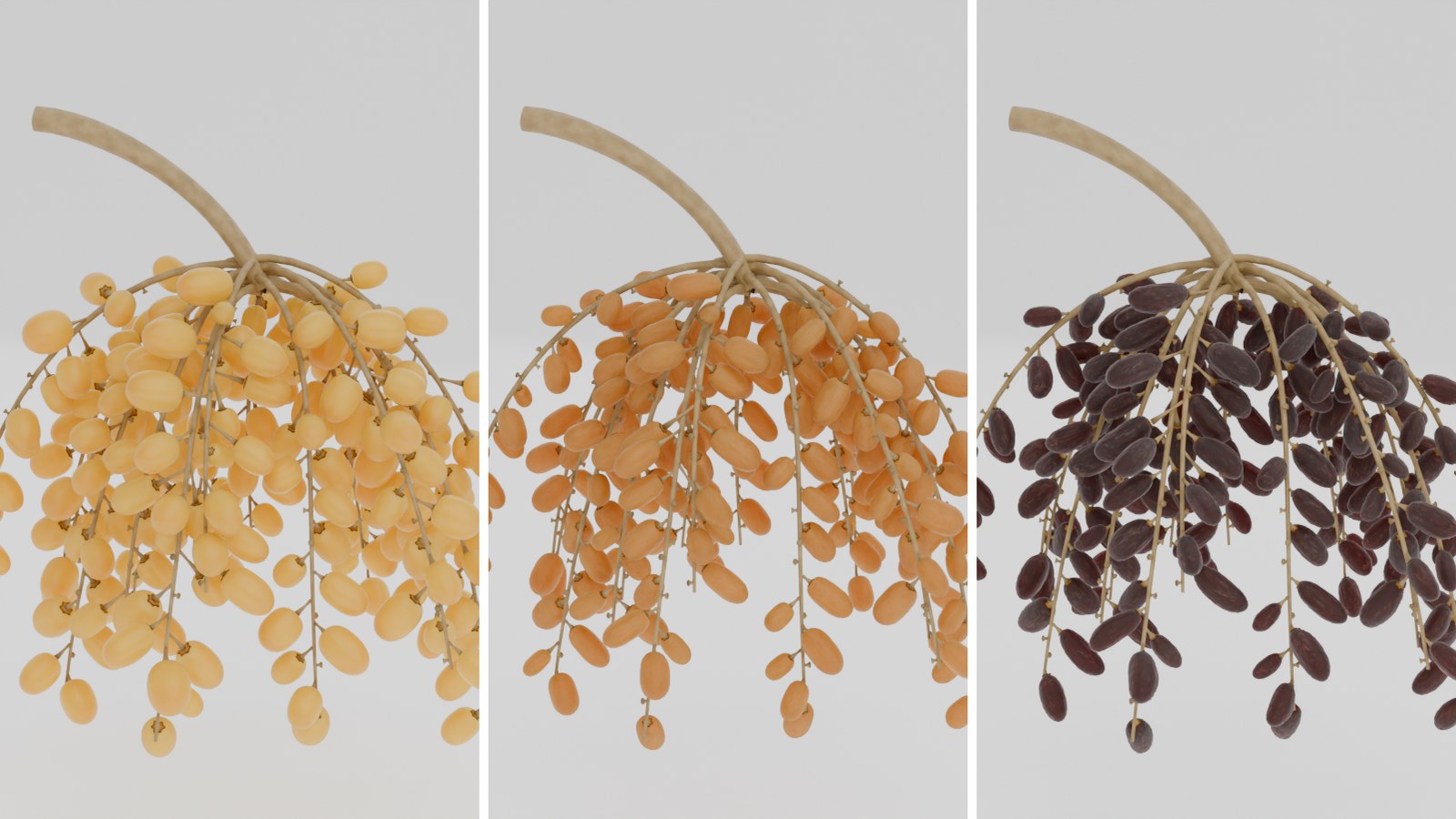
The add-on does not claim the result is clean — it measures it and prints the number. Press Rebuild and you get a line like: "241 dates · 18 shamareekh · ~1.08M tris — Clean, closest 0.11 mm". Every date is tested against every neighbouring date, every branch and every woody knob, using a sphere-chain proxy measured from the real generated geometry before every solve. When a branch is genuinely over-subscribed the solver shrinks the crowded fruit — as happens on a live bunch — then drops what still will not fit, and tells you how many.
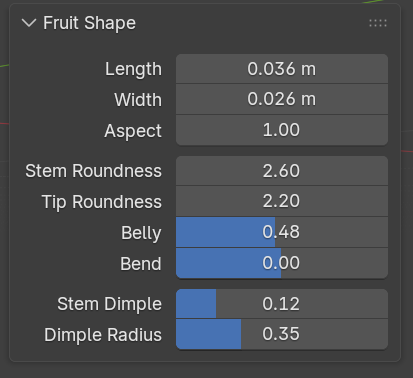
There are no scanned meshes forced on you: every date is generated in Geometry Nodes — a quad sphere pushed onto a superellipse profile you control with Length, Width, Aspect, Stem and Tip Roundness, Belly, Bend and a Stem Dimple. The skin is a stack of layers you build yourself — twelve texture types, any order, as many as you want. The dried cap at the stem end is real geometry, built per bunch and seated on that bunch's own fruit, so it can never sink into the date whatever shape you give it.
Installation — step by step
Download date_palm_pro.zip from Gumroad — do not unzip it.
In Blender go to Edit ▸ Preferences ▸ Add-ons.
Click the ▾ arrow at the top right of the list, choose Install from Disk, and pick the .zip.
Tick the checkbox next to Date Palm Pro.
Back in the 3D viewport press N — you'll find a tab called Date Palm.
Upgrading from an older version: remove the old add-on first, restart Blender, then install the new zip.
Tested on Blender 4.2 LTS and 5.1, and runs on Windows, macOS (Apple Silicon included) and Linux. The add-on ships its own date_assets_v3.blend containing the fruit meshes — it is found automatically. No external dependencies, no compiled extensions, nothing to set up.
How to use it
Your first bunch
Add ▸ Mesh ▸ Date Bunch builds a full arjoon. Single Date gives you one fruit on its own. Date Pit drops the stone as its own object.
Everything after that lives in the Date Palm tab of the sidebar (N): the variety menu at the top, then the Rebuild button with the live readout under it, then the collapsible sections.
Pick a variety from the menu and press the import icon beside it — a variety carries the whole shape, the skin layer stack and the material, not just a colour.
Set the structure first (shamareekh count and lengths) before you build the rig — changing it afterwards rebuilds the deform bones and loses their animation.
Live Update is on by default: dragging re-solves only once you let go of the slider, so the interface stays responsive. Turn it off and use Rebuild by hand on heavy bunches.
Start at a low detail level and raise it only for the final shot — a bunch carries hundreds of dates, and switching the level is instant and needs no rebuild.
Rig ▸ Build Rig adds the armature, then parent CTRL_carry to the character's hand with Child Of. Weights are read out of the generated geometry, so there is no weight painting and nothing to bake.
Save Preset writes this bunch's shape, layer stack and material as a variety of your own, as JSON. It appears in the Variety menu in every file you open afterwards.
Generation is a button, not a slider. A default bunch of 250 dates takes about 1.9 s; a widened bunch of 357 dates about 4.4 s — zero intersections in both. Plumping runs on the seven source meshes before they are instanced, not on the hundreds of instances, so it costs the same whether the bunch carries ten dates or a thousand.
Every parameter in the panel
A complete reference for version 1.3.3 — every button and every slider in the Date Palm tab, in the order they appear, with the default value and the range.
The top of the panel8
The things you touch most: the variety, saving, the Rebuild button, and the live readout under it.
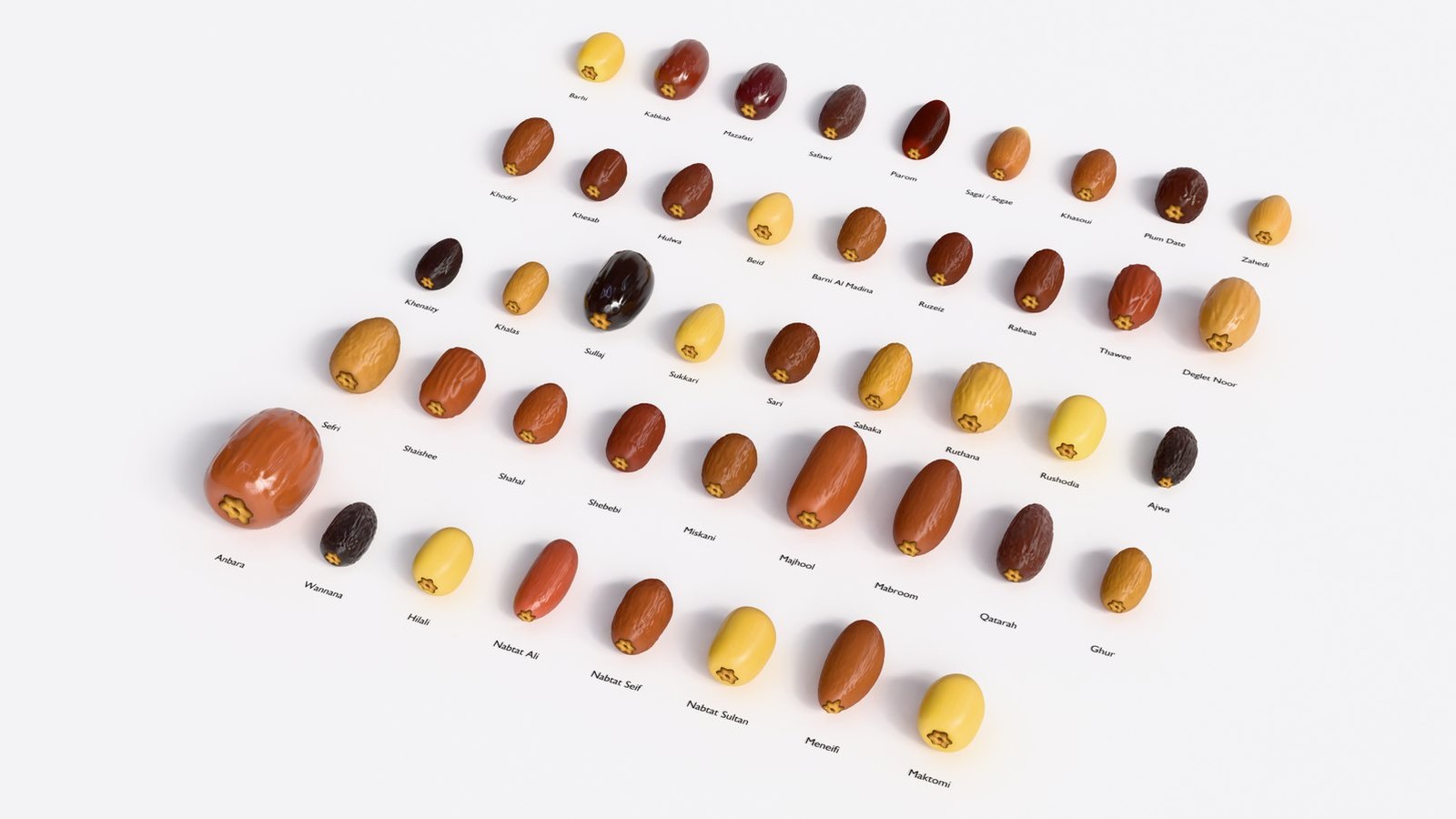
The 38-variety chart the picker at the top of the panel draws from — each with its own colour, gloss, wrinkle depth, size and stage.
Variety38 + your own
The variety menu: 38 varieties from the Gulf chart, then any preset you saved. A variety is not a colour — it carries colour, gloss, wrinkle depth, translucency, fruit size, plumpness, how two-tone it is, and the stage that variety is normally sold at.
Apply Variety⤓ button
Loads the variety's fruit shape, skin layers and material. Note: it replaces the current layer list entirely.
Save Preset / Delete PresetJSON
Saves this bunch's fruit shape, skin layers and material as a variety of your own, available in every file you open afterwards. The button beside it deletes the selected user preset.
Shamareekh18 · 0–60
The number of secondary branches, repeated at the top because it is the number you change most. Zero gives a single date.
Add Branches / Clear Branchesbutton
Switches between a single date and a full bunch in either direction, keeping the fruit's shape, skin and material.
Rebuildbutton · shows * when stale
Re-solves the bunch. A star appears on the button and it turns red when what you are looking at is stale relative to your settings.
Live Updateon
Re-solves automatically a moment after a structural setting changes. The solve is deferred until you stop dragging, so a slider stays responsive. Turn it off on heavy bunches.
القراءة الحيّة / The readoutmeasured, not claimed
The lines under the Rebuild button are re-measured on the actual generated mesh every time: how many dates, how many shamareekh, the approximate triangle count, then either "Clean" with the closest surface gap in millimetres, or the number of intersections and the worst one. It also reports how many dates were dropped and how many were shrunk to fit, and warns you when the rig no longer matches the bunch.
Detail3
How heavy the bunch is, before anything about how it looks.
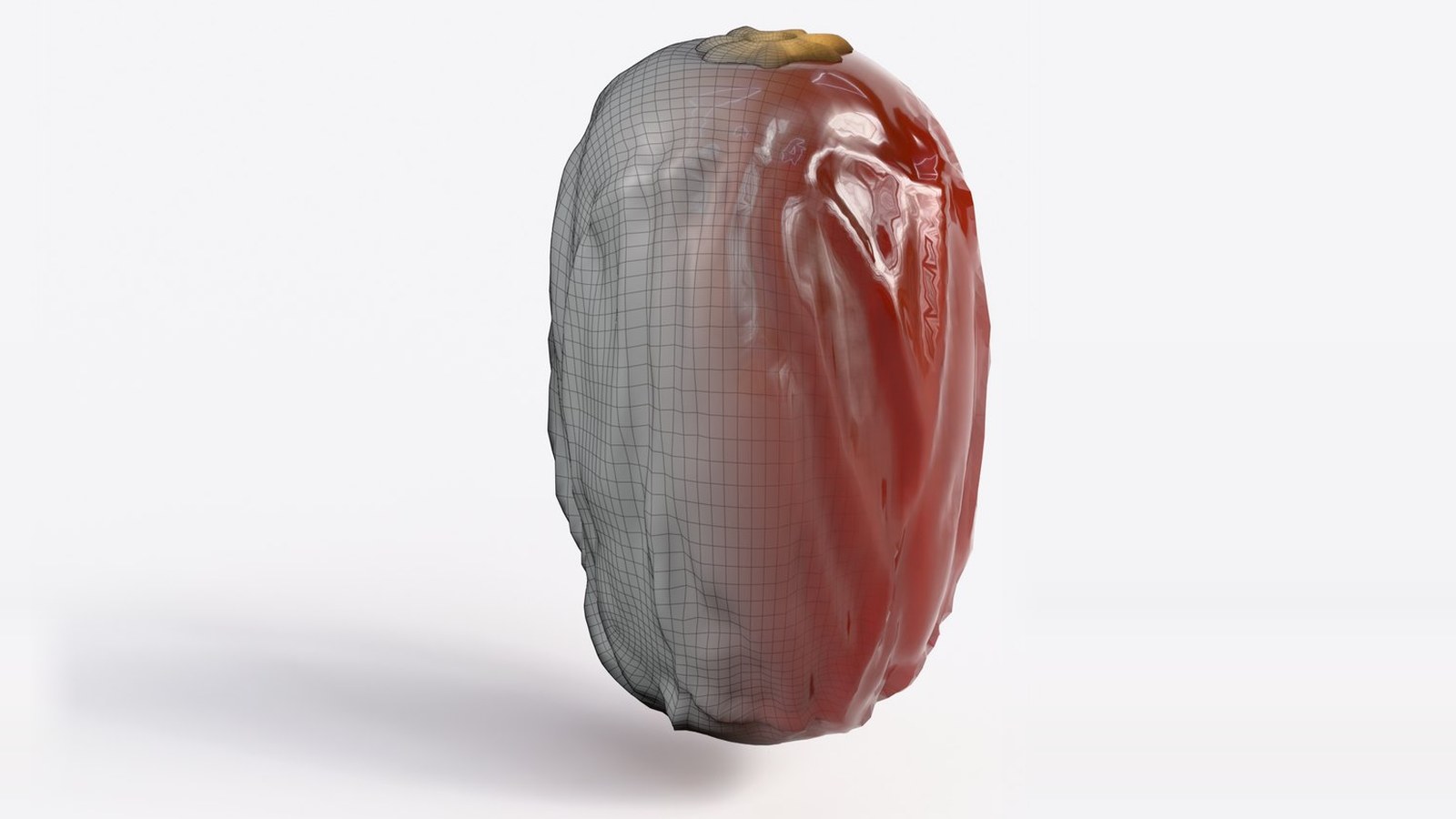
The date itself: the Geometry Nodes mesh on the left, the finished result on the right — this is what the detail levels change.
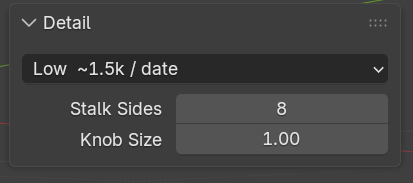
Detail (LOD)Low · 6 levels
Detail of each date, in vertices: Hero 98,306 · High 24,578 · Mid 6,146 · Low 1,538 · Draft 386 · Proxy 98. Switches live, with no rebuild. Because the fruit is instanced, the count in the panel is what the renderer sees, not what the file stores. The cap and the knobs follow the fruit down.
Stalk Sides8 · 3–32
Cross-section resolution of the arjoon and the shamareekh. Five or six is plenty for a background bunch.
Knob Size1.00 · 0.05–3
The size of the woody cups the fruit sits in.
Structure13
The skeleton. Set it before rigging, not after — changing it later rebuilds the deform bones and loses their animation.
7, then 18, then 34 shamareekh on the same arjoon — same camera, same scale.
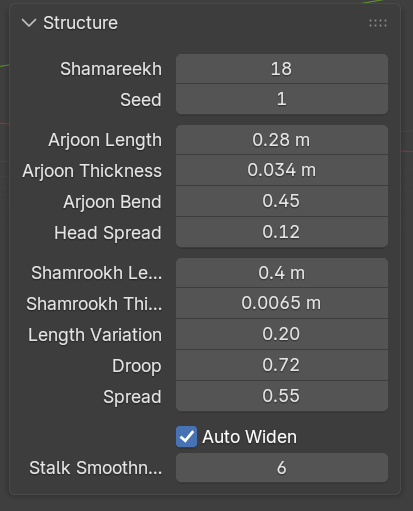
Shamareekh18 · 0–60
Number of secondary branches. Zero gives a single date.
Seed1
The random seed for the whole bunch: how the shamareekh are distributed, their lengths, and where the fruit sits. Change it for a different bunch with identical settings.
Arjoon Length28 cm · 2–150 cm
Length of the main stalk.
Arjoon Thickness34 mm · 1–100 mm
Thickness of the main stalk at its base — the diameter, not the radius.
Arjoon Bend0.45 · 0–2
How far the main stalk is bent over by the weight it carries. Zero holds it horizontal.
Head Spread0.12 · 0–0.9
How much of the arjoon the shamareekh emerge along. Small values give the tight whisk-shaped head of a real bunch; large values string them out along the stalk.
Shamrookh Length40 cm · 2–120 cm
Length of one branch.
Shamrookh Thickness6.5 mm · 0.5–30 mm
Thickness of one branch — the diameter, not the radius.
Length Variation0.20 · 0–0.9
How much the branches differ from one another in length. Zero makes them all identical, which never happens in nature.
Droop0.72 · 0–2
How far the shamareekh hang down.
Spread0.55 · 0.02–2
How wide the fan the shamareekh form is.
Auto Widenon
Grows the fan as more shamareekh are added, the way a real bunch does. Turn it off to keep the size fixed — but expect crowded fruit to be shrunk or dropped instead.
Stalk Smoothness6 · 1–24
How many segments run along each stalk: how smooth its curve is.
Fruit7
Which knob sites carry a date, and how big it is.
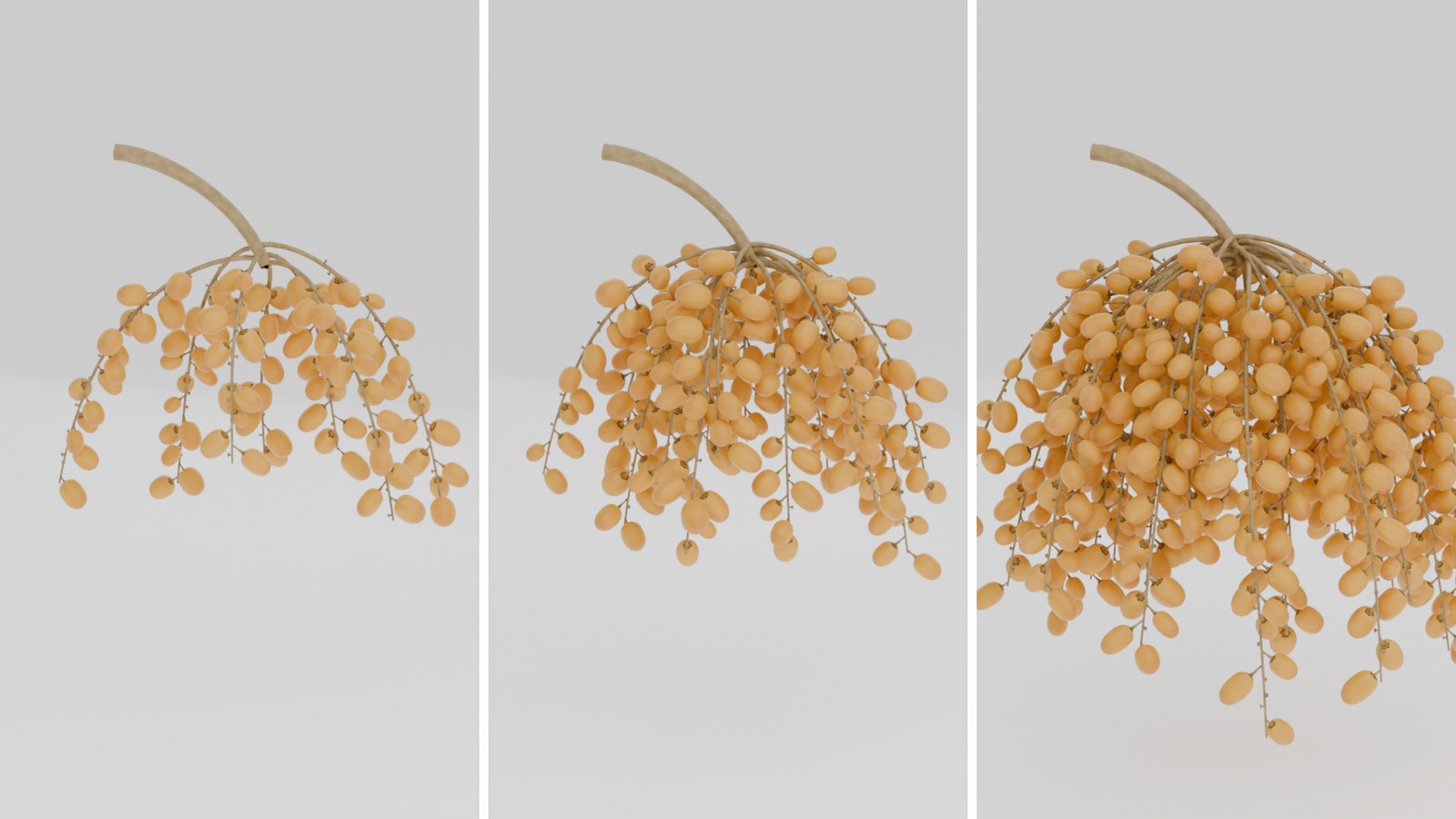
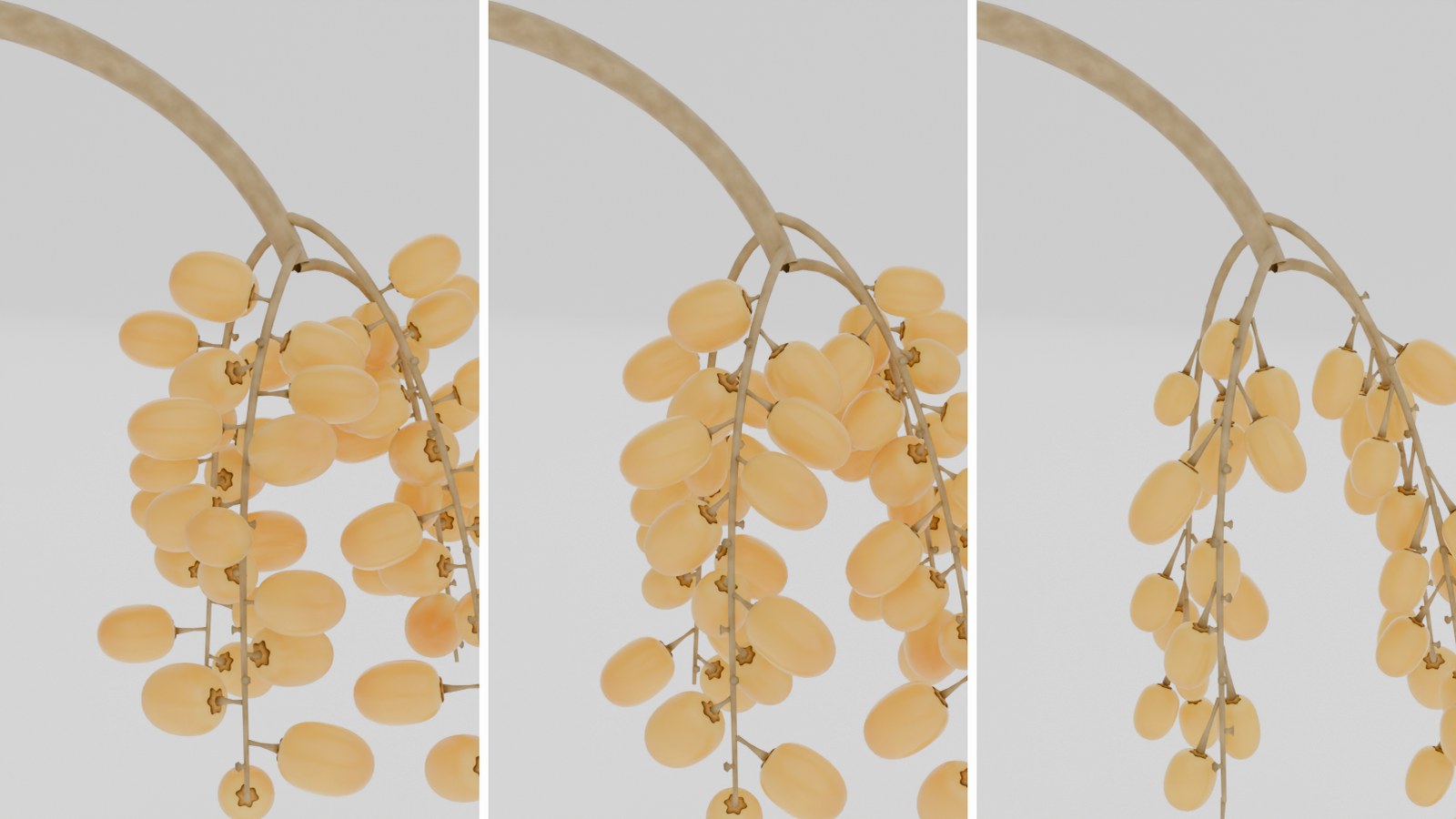
Fruit density at 0.22, 0.6 and 1.0 — from a light bunch to a fully loaded one.
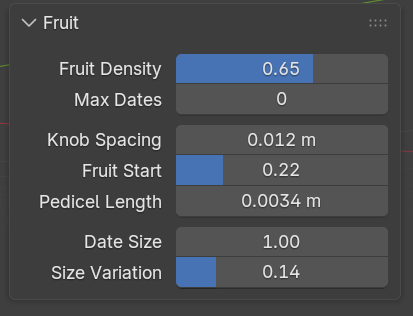
Fruit Density0.65 · 0–1
Fraction of knob sites carrying a date. Zero leaves realistic bare branches — the knob sites exist along the whole shamrookh whether or not a fruit sits on them, exactly as on a stripped strand.
Max Dates0 = no cap · up to 2000
A hard cap on the fruit count. Zero means no cap.
Knob Spacing12 mm · 3–50 mm
Spacing of the woody cups along every shamrookh.
Fruit Start0.22 · 0–0.95
How far along each shamrookh the fruit begins.
Pedicel Length3.4 mm · 0–30 mm
The offset from the knob to the date's stem. The shipped knob is 4 mm tall, so this seats the fruit in its cup. It is real geometry and is collided against, not a visual cheat.
Date Size1.00 · 0.1–3
Overall fruit scale.
Size Variation0.14 · 0–0.7
How much individual dates differ from that size.
Gravity3
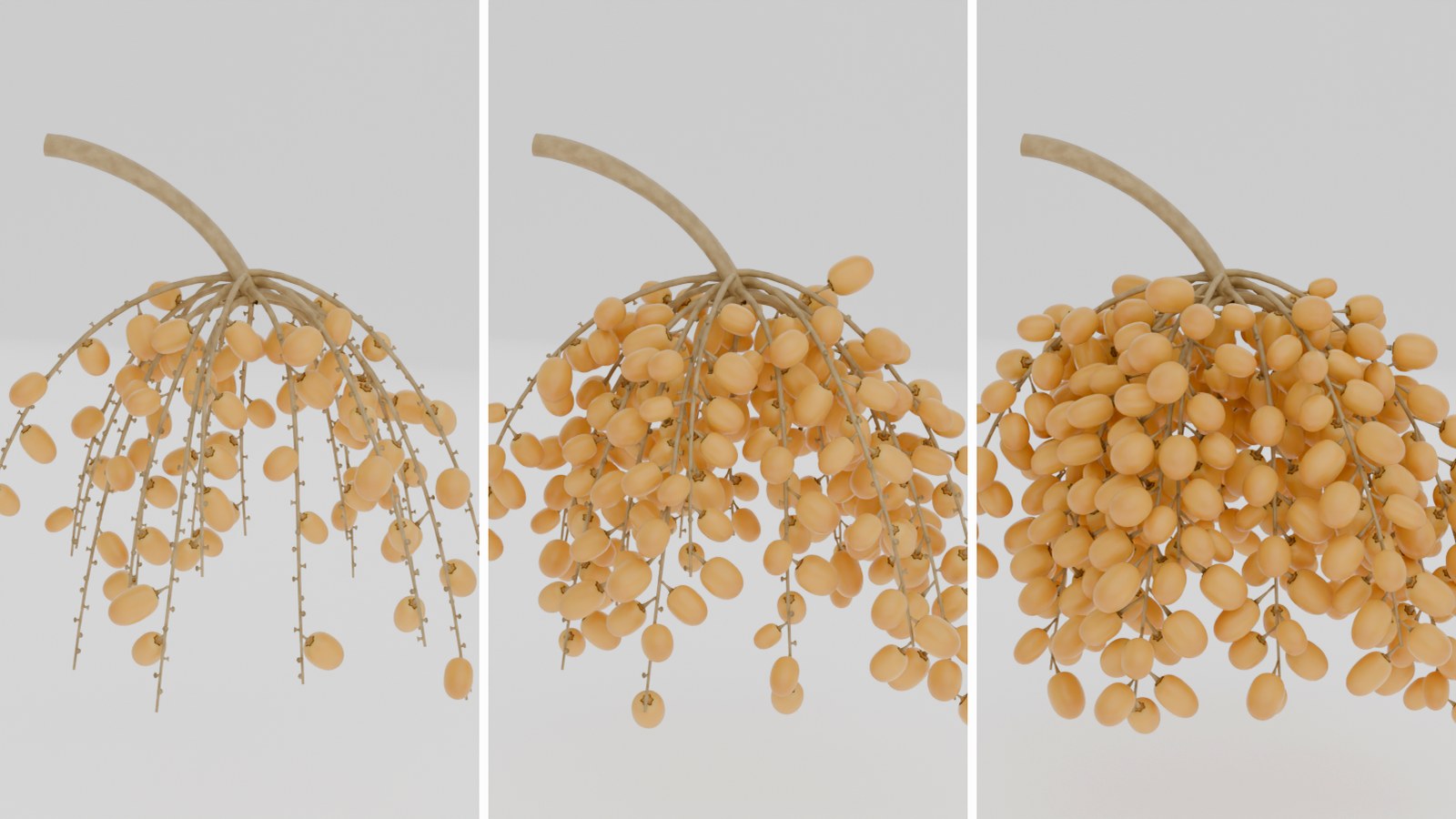
Fruit hangs. It does not float radially off the branch.
A close-up of four shamareekh: gravity at 0, 0.5 and 1 — the fruit goes from standing on the strand to hanging straight down.
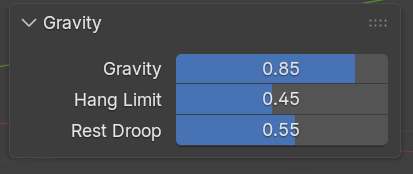
Gravity0.85 · 0–1
How hard the fruit is pulled down. It swings around to the underside of its shamrookh and hangs vertical, as far as its neighbours allow. Zero keeps the fruit radial.
Hang Limit0.45 · 0–0.98
How far an unobstructed date leans downward. Real fruit sits on a short stiff pedicel and keeps pointing largely outward, so this is a lean, not a free hang. Pushing it near 1 collapses every date on a branch into the same space and the solver has to discard fruit.
Rest Droop0.55 · 0–0.97
How far each date starts tipped away from radial, before gravity and its neighbours settle it.
Spacing5
The part that makes the guarantee true.
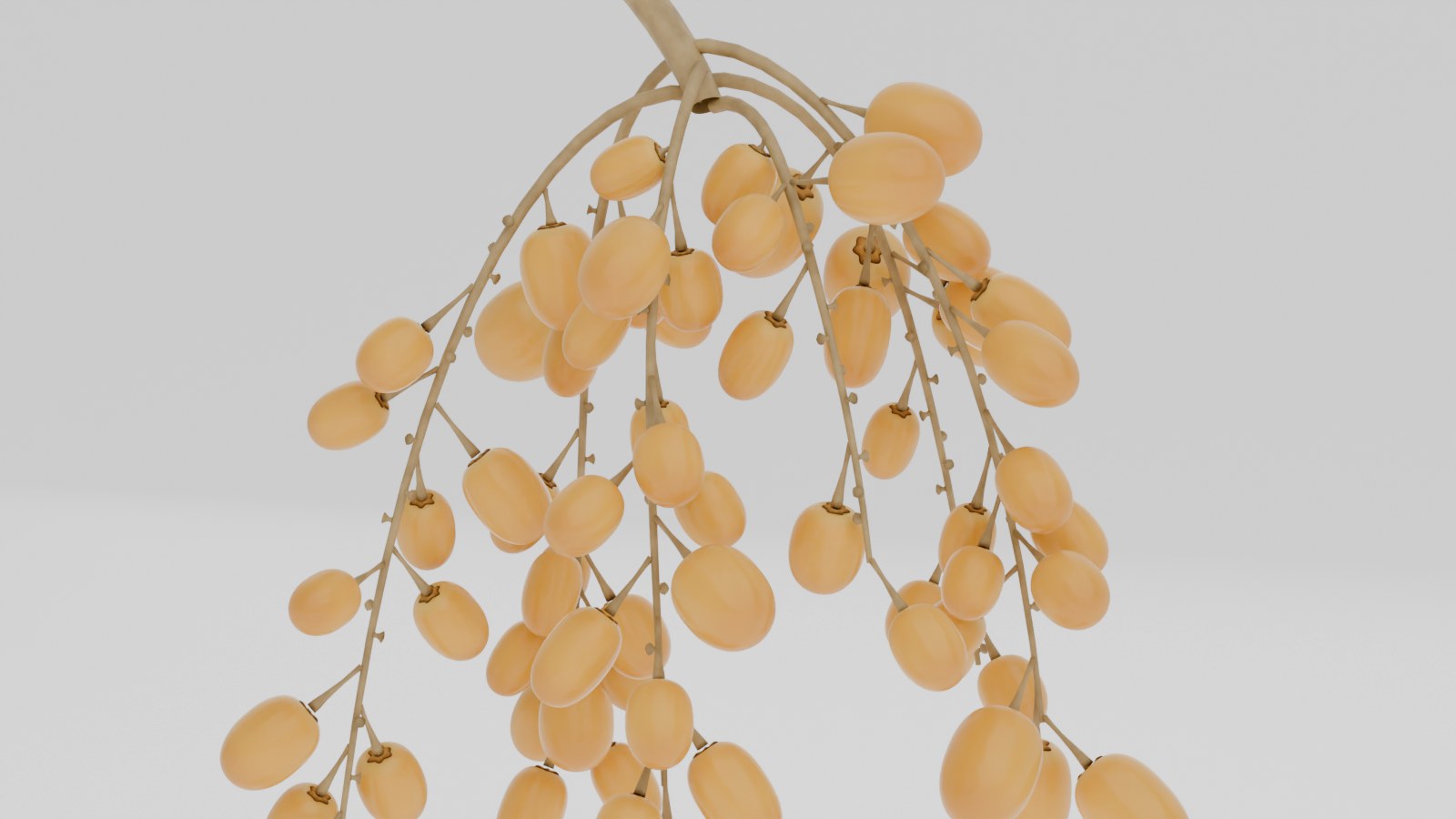
Fruit packed shoulder to shoulder with not one intersection — closest gap 0.13 mm, measured rather than estimated.
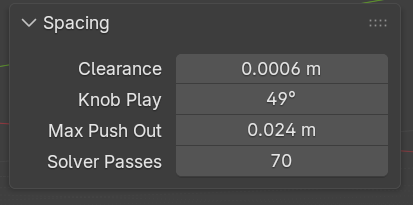
Clearance0.6 mm · 0–20 mm
The guaranteed gap between neighbouring dates.
Knob Play0.85 rad ≈ 49° · 0–2.5
How far a date may swing around its own knob to clear a neighbour. Small values keep the botanical spiral exact; large values let the solver clump the fruit.
Max Push Out24 mm · 0–100 mm
How far the solver may push a date outward to clear a collision.
Solver Passes70 · 1–400
The iteration cap. The default covers the heavy case of 357 dates on a widened bunch.
Verify Spacingbutton
Re-runs the ground-truth test on demand and prints the result. Every date is bounded by a chain of five spheres fitted to the shipped mesh and verified to contain it at every LOD with zero protrusion — a capsule cannot bound a blunt-ended date; the tightest one that fits needs a radius larger than the fruit's own half length.
Look1
A deliberately short section: the variety and the saved presets moved to the top of the panel because they are what you reach for most.
The same bunch in three varieties — Barhi, Khalas, Ajwa — colour, size and stage all move together.
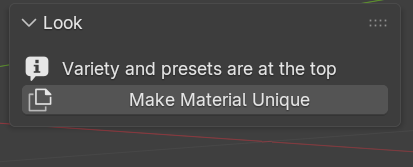
Make Material Uniquebutton
Gives this bunch its own copy of the materials, so your edits never affect another bunch and are never overwritten. Press it before opening the shader if the scene holds more than one bunch — the panel warns you itself when a material is shared.
Fruit Shape9
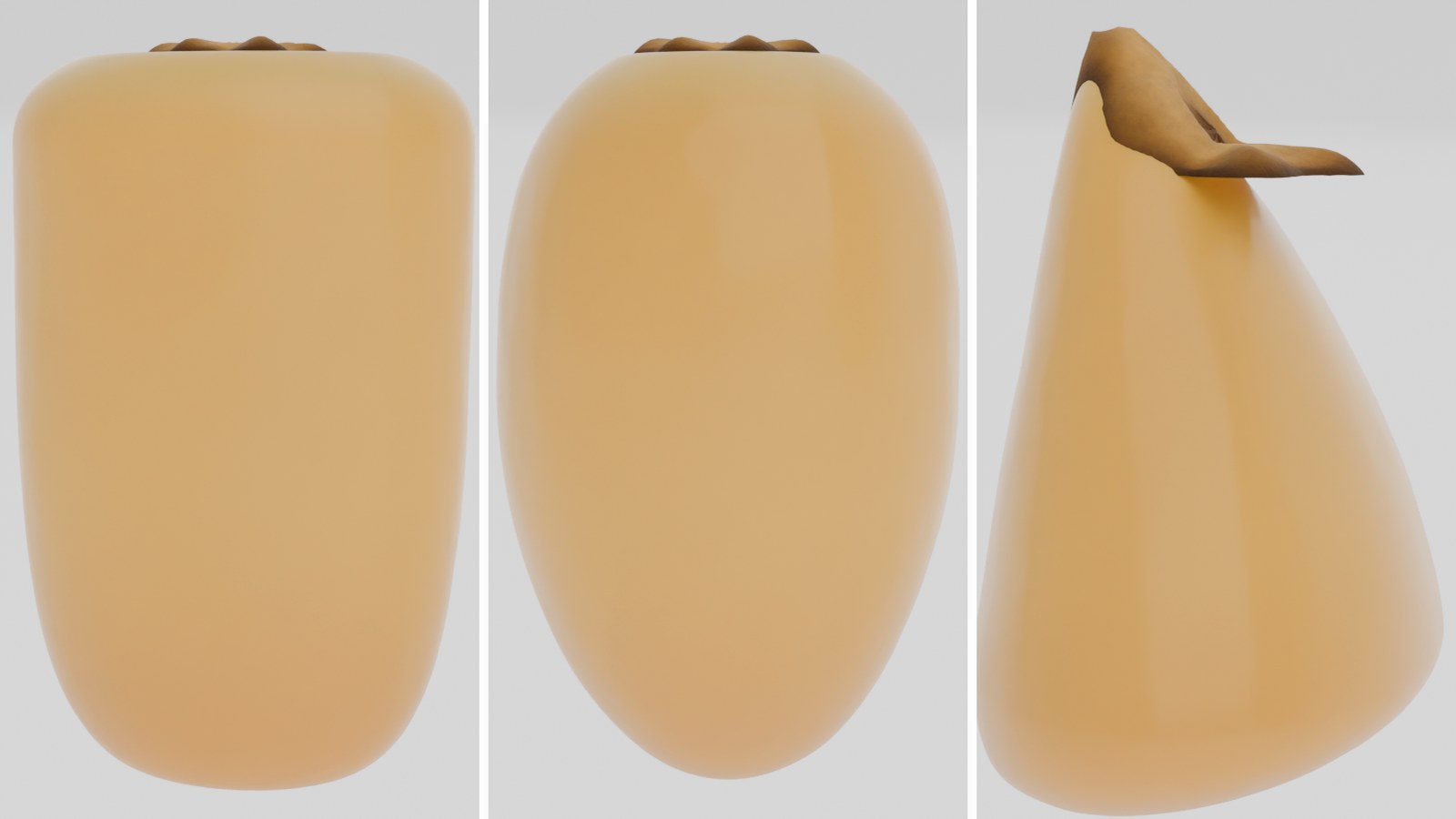
The shape of a single date. A quad sphere pushed onto a superellipse profile — no scanning, no fixed mesh.
Three shapes from the same sliders: short and full, an even oval, and long, bent and tapered.
Length42 mm · 5–120 mm
Length of the fruit. The referenced varieties span 34 to 64 mm.
Width25 mm · 3–80 mm
Its width at the widest point.
Aspect1.00 · 0.3–3
Cross-section: 1 is round, less is flattened.
Stem Roundness2.60 · 0.5–8
Roundness of the stem end: 1 pointed, 2 round, 4+ blunt.
Tip Roundness2.00 · 0.5–8
Roundness of the other end, on the same scale.
Belly0.45 · 0.1–0.9
Where the widest point sits (0 stem, 1 tip).
Bend0.00 · −1 … 1
How far the fruit curves away from straight, either way.
Stem Dimple0.12 · 0–0.6
How deep the stem end sinks in around the calyx.
Dimple Radius0.35 · 0.05–1
How wide that dimple is.
Cap (Calyx)7
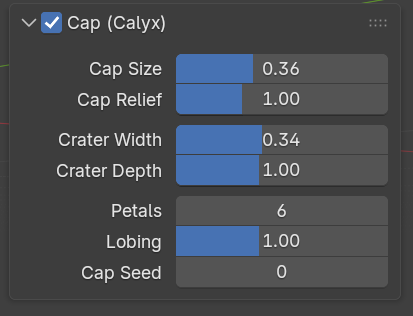
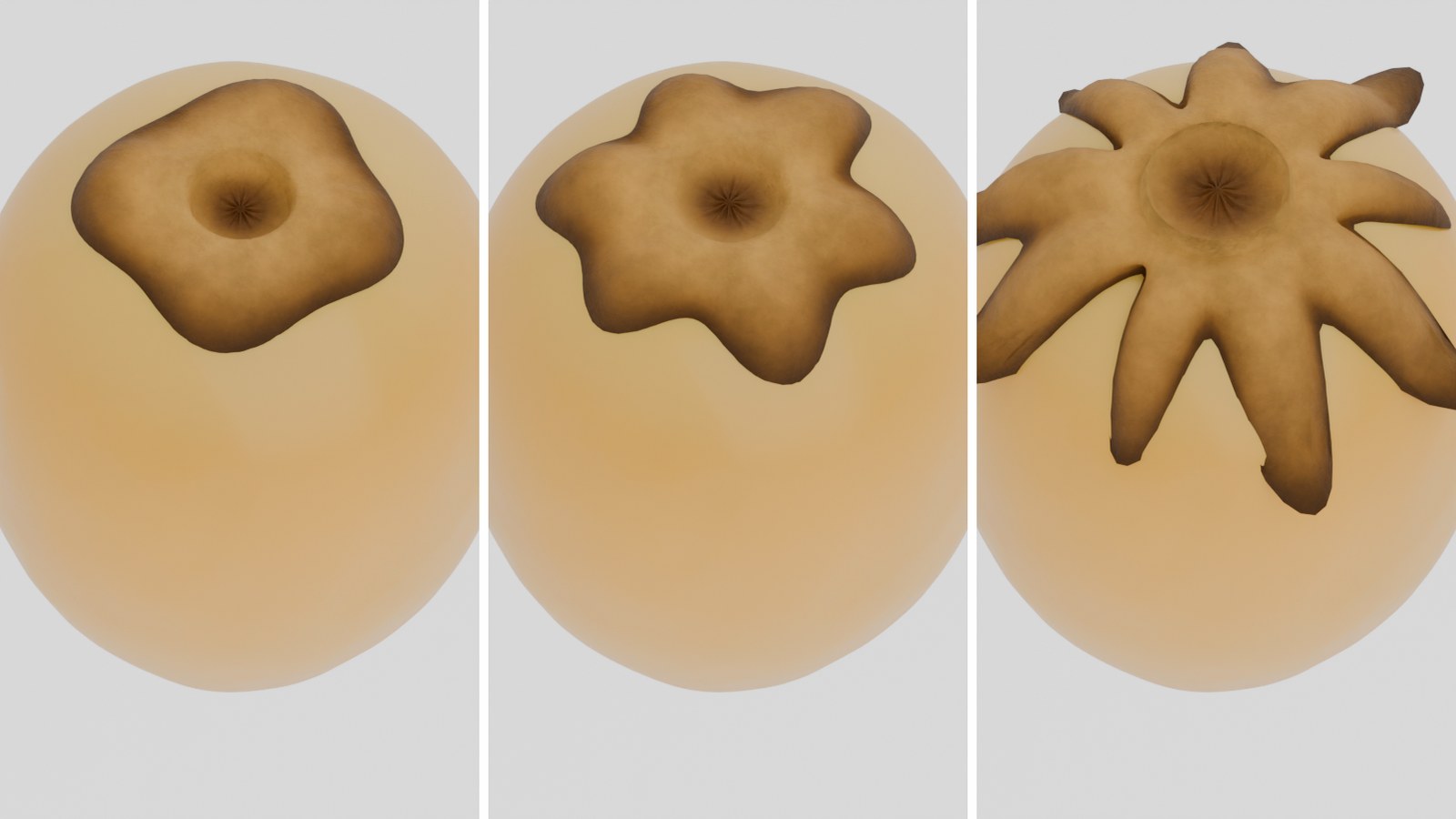
The dried perianth at the stem end: fused petals on a lobed plateau, with the little crater the stemlet leaves in the middle. Real geometry, built per bunch and seated on that bunch's own fruit — the stem end is sampled into a KD-tree and every cap vertex is placed a measured distance out from the actual skin, so the cap can never sink into the date whatever shape you give it. The toggle in the section header switches it on and off. About 270 triangles a fruit at the hero level.
The dry cap from above: 4, then 6, then 9 petals, with the crater depth and lobing changing too.
Cap Size0.36 · 0.1–0.8
Radius of the dry cap, as a fraction of the fruit's own half-width.
Cap Relief1.00 · 0.05–3
How far the cap stands off the flesh.
Crater Width0.34 · 0.05–0.75
Width of the crater the stemlet leaves in the middle of the cap, as a fraction of the cap.
Crater Depth1.00 · 0–2.5
How deep that crater sinks. 0 closes it altogether.
Petals6 · 3–9
Fused perianth lobes around the cap.
Lobing1.00 · 0–2.5
How strongly those lobes shape the cap's outline.
Cap Seed0 · 0–9999
A random seed for the cap alone.
Skin Layers — the global settings4
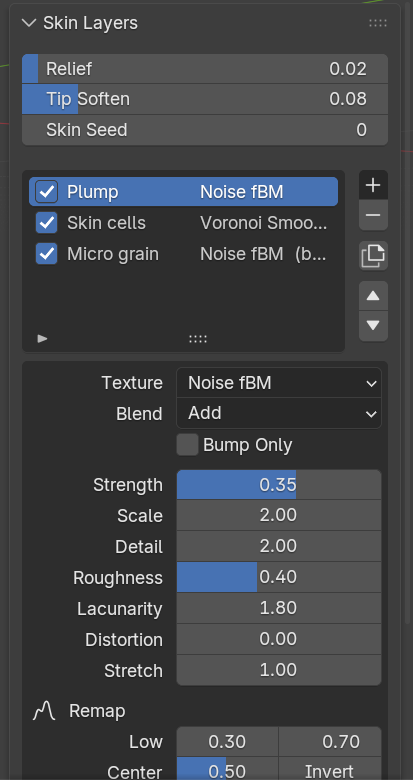
The skin is not an image. It is a stack of texture layers you build yourself, in any order and as many as you want, and the node group rebuilds in place whenever you change it. Three settings govern the whole stack:
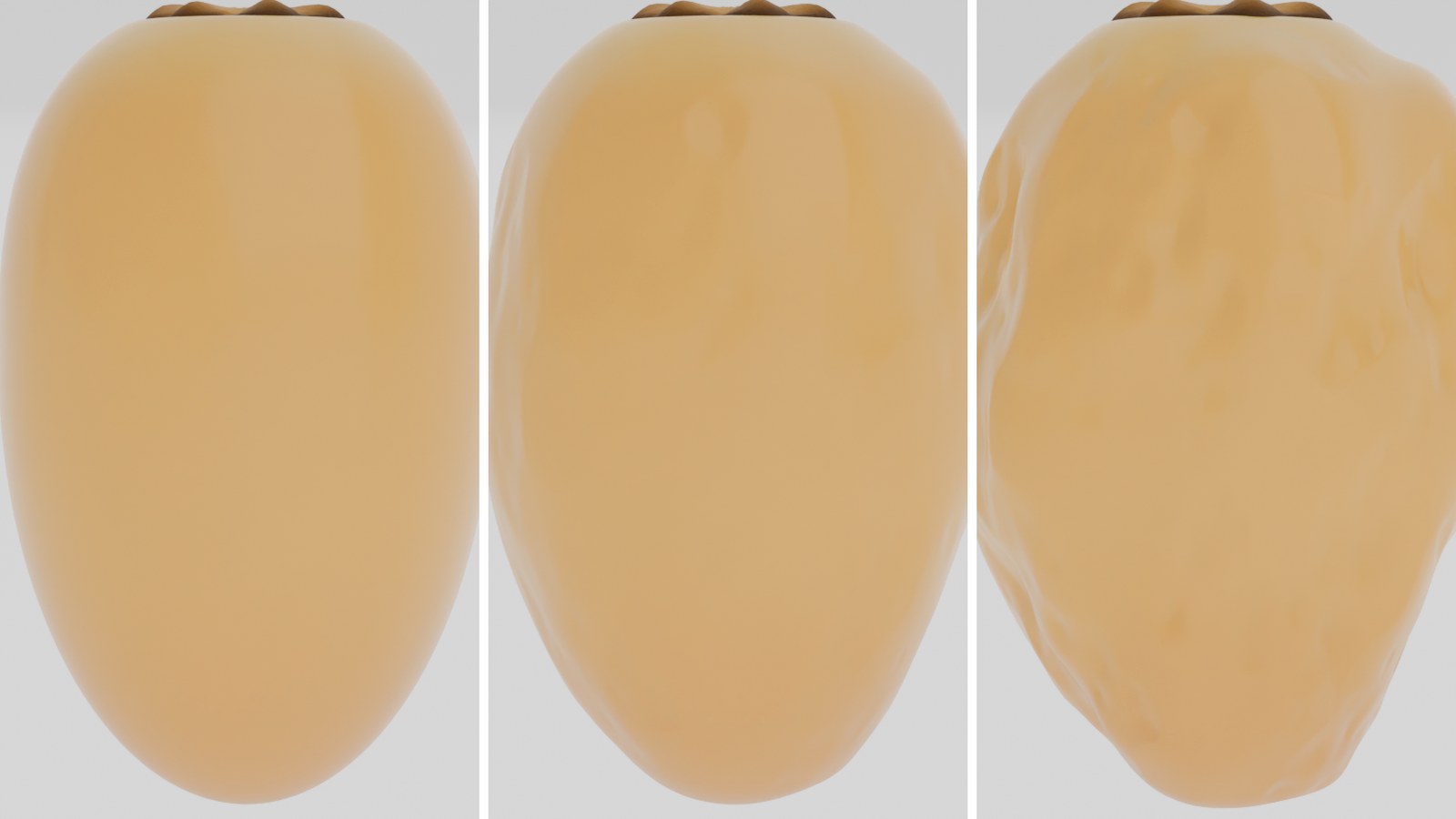
Wrinkle relief at 0, then 0.12, then 0.35 on the same date.
Relief0.04 · 0–0.4
Displacement height as a fraction of the fruit width — how far the whole stack actually lifts.
Tip Soften0.08 · 0.001–0.5
Fades the relief at both poles so it does not break up at the fruit's two ends.
Skin Seed0
A random seed for the whole stack.
Add / Remove / Duplicate / ▲▼buttons
Add a layer after the active one, remove it, duplicate it, or move it up and down. Order matters: every layer blends with what is below it.
Skin Layers — the per-layer settings19
Every layer in the stack carries these settings. Some appear or disappear depending on the texture type you pick.
Texture12 types
The texture type: Noise fBM (soft cloudy relief — plumpness and gentle skin waves) · Noise Multifractal (sharper noise — uneven cured skin) · Noise Ridged (sharp ridges — deep dried creases) · Noise Hybrid (ridges in the valleys, smooth on the peaks) · Noise Hetero (rough at the low end, smooth higher up) · Voronoi F1 (cells — pillowy segments between creases) · Voronoi Smooth F1 (soft cells — Barhi and Sukkari skin bulges) · Voronoi F2 (cell ridges) · Voronoi Edge (distance to cell edge — a crease network) · Wave Bands (distorted stripes — long wrinkles) · Wave Rings (distorted rings — wrinkles around the fruit) · Gabor (oriented fibre-like grain — micro skin).
BlendAdd
How the layer blends with what is below it: Add (height adds) · Subtract (height cuts in) · Multiply (scales what is below, 1 = no change) · Max (keeps the higher of the two) · Mix (blends toward this layer by Strength).
Bump Onlyoff
Tick it and the layer goes to the material's bump and never moves a vertex. Detail at no geometric cost.
Strength0.50 · −2 … 2
The layer's strength. Negative values invert its effect.
Scale3.00 · 0–60
Features per fruit width — not per metre, so the same value stays right on a 25 mm date and on a two-metre one.
Detail4.00 · 0–15
Noise octaves. With Gabor it is labelled Frequency instead.
Roughness0.50 · 0–1
How much the higher octaves contribute. With Gabor it is Anisotropy; with the wave types, Detail Roughness.
Lacunarity2.00 · 0–10
The gap between octaves. With the wave types it is labelled Detail Scale.
Distortion0.00 · −50 … 50
Distortion of the texture coordinates — what makes bands and rings look organic instead of geometric.
Randomness1.00 · 0–1
Voronoi cell jitter. Zero gives a regular grid.
Bands (Direction)X
Wave textures only: which axis the bands run across — X, Y, Z (the fruit axis) or Diagonal.
Stretch1.00 · 0.05–10
Stretches the texture along the fruit axis. Below 1 squashes it; above 1 draws it out into long wrinkles.
Low / High0 / 1 · −1 … 2
The remap: which texture value maps to 0 and which to 1 — exactly like the first and last stop of a ramp. Swap them and the layer inverts.
Center0.50 · 0–1
0.5 makes the relief go both ways. 0 makes it only rise, or only cut — which is what you want for creases.
Invertoff
Inverts the whole layer.
Mask Start / End0 / 1 · −0.5 … 1.5
An axis mask: where along the fruit the layer applies (0 stem, 1 tip). This is what lets you crease only the stem end, or catch light only at the tip.
Feather0.15 · 0.001–1
How soft that mask's edge is.
Invert Maskoff
Inverts the mask so the layer applies outside the range instead of inside it.
Seed0
A random seed for this layer alone.
Shader — the fruit12
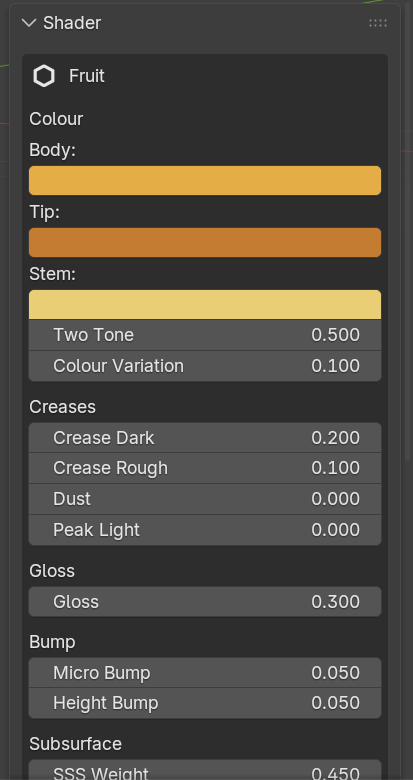
The whole material is procedural — noise, ramps and maths. There is not one image texture in it, so it has no resolution, never needs a UV, and never ships a texture folder. Every control below is an ordinary Value or RGB node with a fixed name inside the material — open the shader editor and rewire anything you like, the panel drives the same nodes. Your edits survive a rebuild.
Body / Tip / Stemcolour
The three colours that build the fruit: the body, the tip, and the stem end. A Barhi at the turn has an amber glossy tip and a pale cream stem end; an Ajwa is one colour.
Two Tone0–1
How far the tip colour and the stem colour separate, and how defined the band between them is.
Colour Variationset by the variety
How far individual fruit drift from the chosen colour. A signed offset, not a mix — mixing dragged every fruit toward the middle of the ramp and made six varieties render as the same pale fruit.
Crease Dark0–1
How dark the creases print. This is what separates a cured date from a waxy one.
Crease Rough0–1
How much the creases roughen. Creases darken and roughen together, as they do in reality.
Dustset by the variety
The waxy bloom. Cool greyish lavender, sitting on the raised skin with the deep creases staying dark and red underneath. It is a sharpened cavity mask multiplied by a break-up noise, with its own grain in the bump chain, so it reads as powder in the crevices instead of a wash over the whole fruit. It also drives Sheen, which is what that layer physically is.
Peak Light0–1
How much the loose skin catches the light on the raised ridges.
Glossset by the variety
Scales the whole roughness range rather than replacing it, so the smooth/creased contrast the ripeness stages produce survives. It also drives a faint waxy sheen — deliberately faint, because a heavy clearcoat is exactly what makes rendered fruit read as moulded plastic.
Micro Bump / Height Bumpbump
The two scales of surface detail: the micro grain, and the large relief coming from the skin stack. The crease pattern is also wired to the material output's Displacement socket with the method set to BOTH — with adaptive subdivision off this costs nothing and the bump does the work; turn subdivision on and the same pattern becomes real geometry for a close-up.
SSS Weight / Radius / Scale / AnisotropyRandom Walk
Subsurface. A bell centred on rutab: a green khalal is hard and opaque, a rutab glows when backlit, a cured tamr is denser again, a dried one barely scatters. The scatter radius is red-dominant and relative to the fruit's width, so a preset looks the same on a 25 mm date and on a 2.5 m one.
Specular0–1
The strength of the direct specular reflection.
Reset Shaderbutton
Rebuilds this bunch's materials from scratch. Any hand edits in the shader editor are lost.
Shader — the arjoon and shamareekh4
Four controls on the stalk, on the same principle: named nodes, and your edits to them survive.
Dryness0.90
Crossfades a fresh yellow-green waxy stalk to a cured brown dry one — hue and roughness together, not a tint.
Fibre1.15
The lengthwise grain. A shamrookh is a dried fibrous stick, not a smooth dowel.
Sheen0.30
How waxy the highlight is.
Tintwhite
Multiplies the whole result. Leave it white unless you want to shift the entire colour.
Rig8
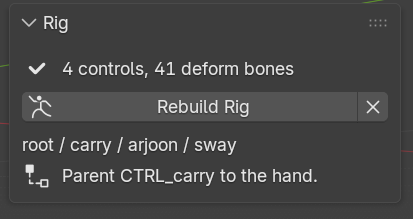
Four controls, and nothing ever has to be applied or baked. Weights are read straight out of the generated geometry — there is no weight painting at all. Delete the rig and regenerate, build a second one, or keep four bunches each with its own rig, materials and spring: the add-on tracks them separately and they do not interfere. Saving and reloading round-trips identically on every metric.
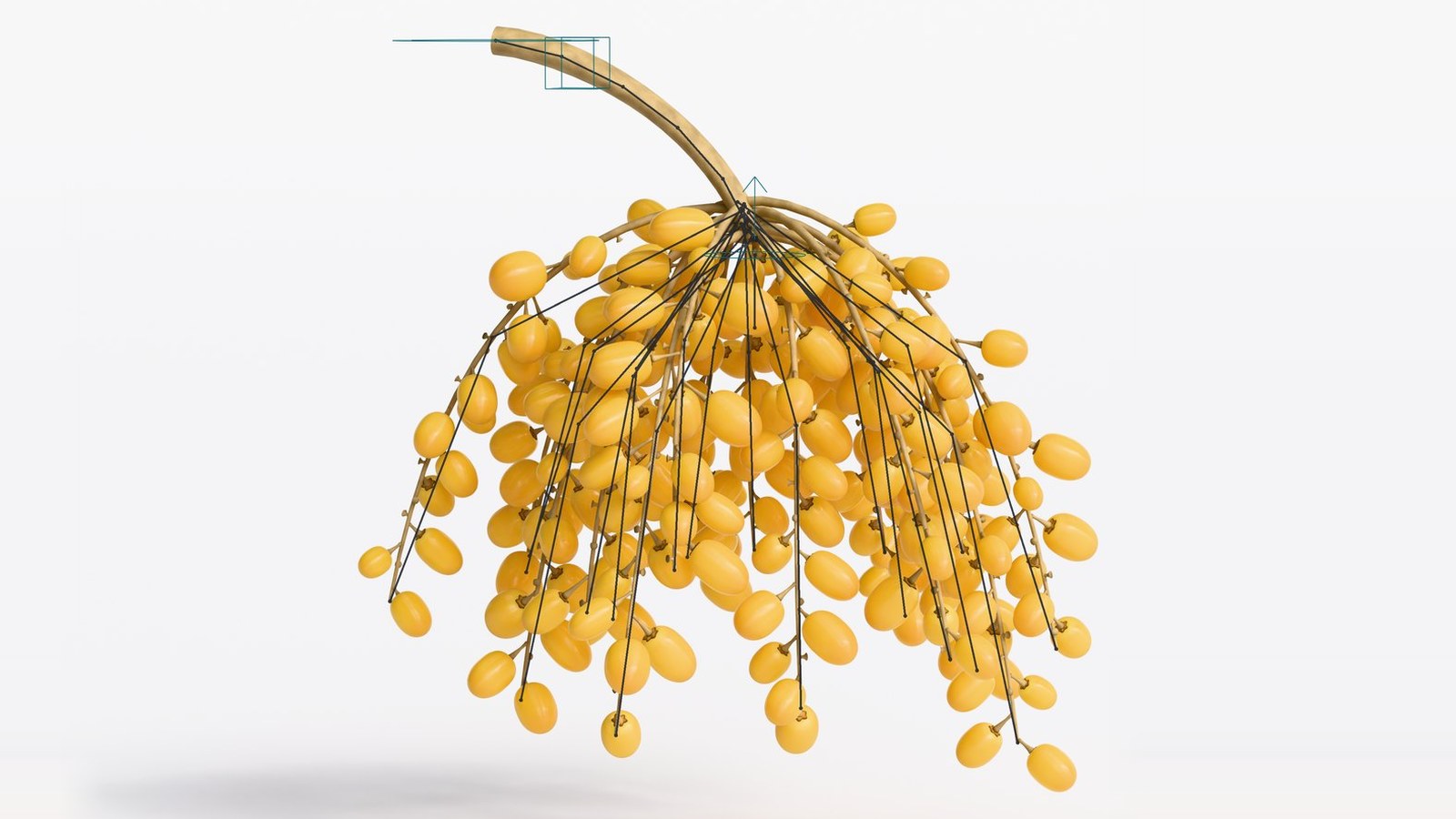
The control rig after Build Rig — one bone for the arjoon and one per shamrookh.
Build Rigbutton
Creates or rebuilds the armature for this bunch. Rebuilding replaces the bones, so any pose or animation on the old rig is lost — and the panel warns you when the rig no longer matches the bunch.
Remove Rig✕ button
Deletes this bunch's armature and its vertex groups.
CTRL_rootbone
Places the bunch in the scene.
CTRL_carrybone
The handle a character holds. Parent it to the hand with Child Of.
CTRL_arjoon5 bones
Bends the main stalk, five bones down its length.
CTRL_swaybone
Poses the whole fan of shamareekh by hand.
MCH_jigglehidden
The spring writes here, so CTRL_sway stays completely free for you.
ترتيب المودفايرات / Modifier orderdo not reorder
The armature modifier sits before the geometry nodes modifier, not after. With the order reversed the mesh deforms by about 3% instead of 100%, because the node tree changes the vertex count.
Secondary Motion7
Secondary motion is driven by the rig's movement, not by a clock. That is the difference that makes it usable for a character walking with the bunch and then standing still.
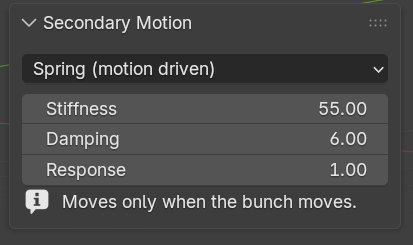
Secondary Motion (mode)Spring
Off: only what you key by hand · Spring (motion driven): the strands lag when the bunch is moved, overshoot when it stops and settle when it is still — nothing moves while the bunch is at rest. Measured: 0.0000° idle, 12.64° peak, settling to zero · Noise (time driven): a constant gentle wobble regardless of movement, right for wind on a hanging bunch, wrong for one sitting on a table.
Stiffness55 · 1–400
How hard the strands are pulled back upright. Higher settles faster and swings less.
Damping6 · 0–60
How quickly the swinging dies away. Low values keep it wobbling after the bunch stops.
Response1.00 · 0–8
How strongly the carrier's acceleration throws the fruit.
Jiggle0.60 · 0–3
The amount of automatic sway in Noise mode, so the strands keep moving without being keyed.
Jiggle Speed18 · 1–120
Frames per noise cycle. Lower is faster.
Apply Jigglebutton
Puts the procedural noise on the sway control. Set the amount to zero to remove it.
Display2
Visibility toggles — useful for checking the branch structure, or for rendering a stripped arjoon.
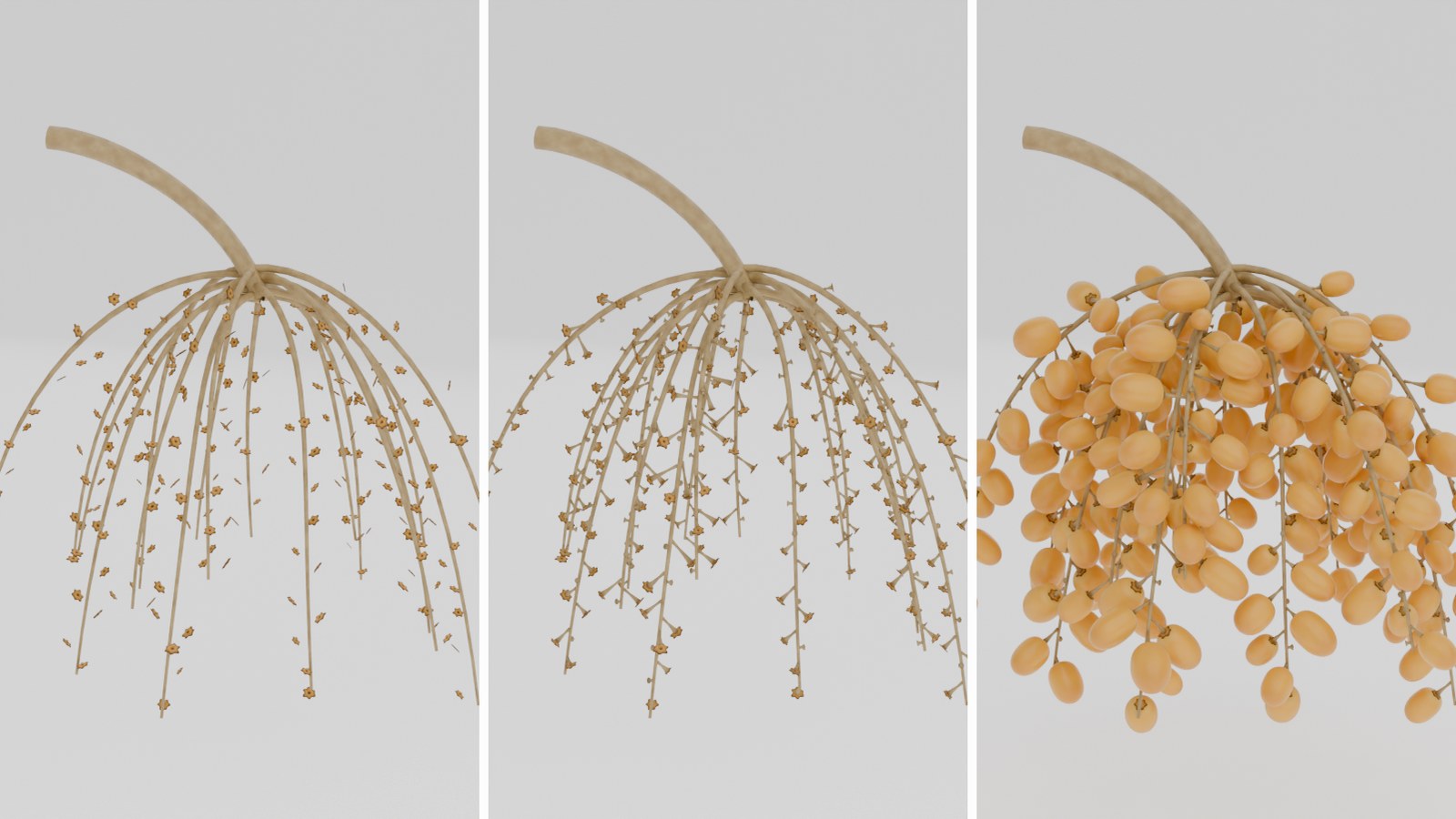
The shamareekh alone, then with the woody knobs, then the whole bunch — the same generator with three display toggles.
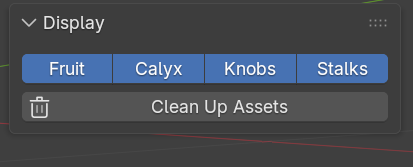
Fruit / Calyx / Knobs / Stalkson
Show and hide each part independently.
Clean Up Assetsbutton
Removes the hidden asset collection when no bunch uses it.
Outside the panel3
Commands you reach from the Add menu, not from the sidebar.
Add ▸ Mesh ▸ Date BunchShift+A
Adds a collision-solved date bunch.
Add ▸ Mesh ▸ Single DateShift+A
Adds one date with no branches, with its full shape, skin and material.
Add ▸ Mesh ▸ Date PitShift+A
Drops the stone as its own object with its own material, 22.5 mm long, at two detail levels. It is deliberately not placed inside the fruit of a bunch — 250 hidden stones would cost geometry nobody sees. Place it yourself for a cut date, a bowl of stones, or a close-up.
Known limits: a very high fruit density on a short arjoon over-subscribes the branches, so the solver shrinks and then drops fruit to keep the zero-intersection guarantee — widen the head or lower the density instead. And the spring resets when you scrub the timeline backwards; play forwards from the start for a final render.
What you get: the add-on as an installable zip, its asset file, the manual and the changelog. Renders and models you make with it are yours, for personal and commercial work, with no royalty and no attribution required. Redistribution of the add-on itself is not permitted.
Gallery
The 38 varieties from the Gulf variety chart — each with its own colour, gloss, wrinkle depth, size and stageThe fruit itself: the Geometry Nodes mesh on the left, the finished result on the rightA yellow Barhi bunch with its control rig — four controls and five arjoon bonesThe panel inside Blender: the live readout at the top, then the collapsible sections